11 Best Free Co-Parenting Calendar Apps for 2026
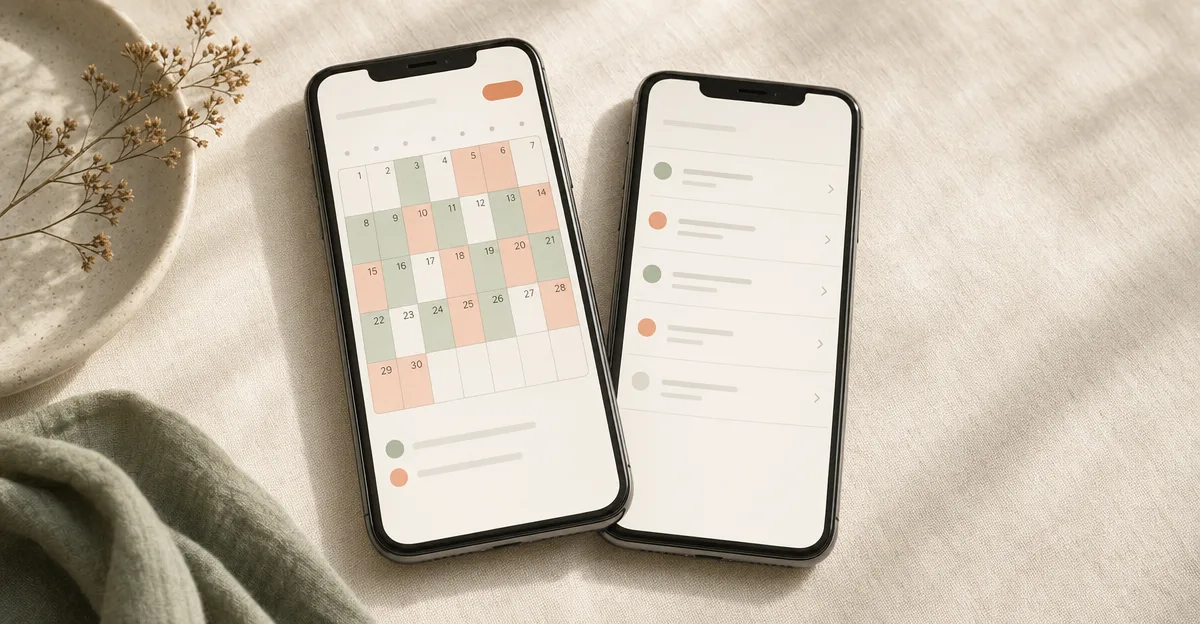
Two households sharing kids need one calendar both parents can see — the same handoffs, school events, and appointments, not two copies that drift. A shared custody calendar is that source of truth: a change in one home shows up in the other, and neither parent is working from last week's version.
Short answer: in 2026 only three of the eleven apps below are free to keep using indefinitely — Kidtime, Cozi and Google Calendar — and of those, only Kidtime is built for custody. AppClose and TalkingParents both ended their free plans this year. Start free on Kidtime — calendar, schedule templates, messaging and notes, no time limit and no card.
Which co-parenting apps are actually free in 2026?
Two of the largest co-parenting apps ended their free plans this year, so any roundup that still calls them free is out of date.
| App | Free plan in 2026 | Cost per parent |
|---|---|---|
| AppClose | Free tier ended January 1, 2026. 60-day free trial, then paid. Lapsed accounts keep a free read-only mode, and fee waivers cover hardship and domestic-violence survivors. | $83.88/yr web, $98.99/yr in-app |
| TalkingParents | Free plan ended March 30, 2026. Fee waivers available. | $77–$352/yr |
| OurFamilyWizard | Never had a free tier. Fee waiver program only. | $110–$299.88/yr |
| Kidtime | Free tier with no time limit: shared custody calendar, schedule templates, messaging and notes. | $0, or Premium $99.99/yr |
| Cozi | Free and ad-supported, but a general family organiser rather than a custody tool. | $0, or $39/yr |
So in 2026 the options that are genuinely free to keep using are Kidtime, Cozi, and generic shared calendars such as Google Calendar. AppClose and TalkingParents are free only during a trial, under a fee waiver, or in read-only mode after a subscription lapses.
Prices were checked on September 15, 2026 against each app's own pricing page.
Is a free co-parenting app enough, or do you need to pay?
For most separated parents, free is enough. A shared custody calendar, a set of schedule templates, messaging and notes cover the day-to-day — and on Kidtime those are the free tier, with no expiry and no card, and your co-parent can join on it without paying either. The free calendar view rolls with you: roughly last week plus the next six, moving forward as the weeks do, so you are never locked out of the schedule you are actually living.
Paying is worth it in four specific situations, and not really otherwise:
- You need to look further ahead or further back. Premium lifts the rolling window so you can jump to any month — next summer's holidays, or last spring for a record.
- A court or an attorney is involved. You need exports that read as a record — custody time totalled by percent, hours and overnights, message history, and a view-only role for your attorney.
- Messages keep going wrong. An AI tone check that reads a message back before it sends is the feature people say changed the temperature of their co-parenting. Kidtime includes it in Premium; TalkingParents gates its equivalent to the $352/yr top tier.
- You want the receipts kept for you. Recorded and transcribed calls, searchable notes, photo notes attached to events, full data export.
If none of those are true yet, start on the free tier and stay there. What follows is the full roundup, from dedicated custody platforms to generic shared calendars.
1. Kidtime
Kidtime is built for two households sharing one schedule: most parents shouldn't have to type every custody handoff for the next year. For the product itself — shared custody calendar, templates, messaging — see the Kidtime homepage. On this list it is the purpose-built calendar with a free tier that doesn't expire, and one of the only ones that ships with 15+ pre-built custody schedule templates so a full year of handoffs can be populated in under five minutes. It also includes an AI assistant parenting plan builder, free to build.
Key Features Analysis
- 15+ pre-built schedule templates across 50/50, 60/40, 70/30, and 80/20 splits — including 2-2-3, alternating weeks, 5-2-2-5, 4-3-3-4, 4-3, alternating weekends, and more. Pick the template that matches your custody order, set transition times, and the calendar populates automatically.
- Color-coded calendar with explicit custody transitions. Each parent and each child gets a distinct color. Glance at the calendar to see exactly who has each kid at any moment, with handoff times visible.
- Custody time analytics. Auto-generated reports showing how custody splits actually played out — by percent, hours, overnights, or days. Useful for court, useful for honest conversations, useful for catching imbalances. The calendar IS the data — no manual logging.
- AI Tone Scan in chat. AI flags emotionally charged language before you send a message and suggests a calmer rephrase. Included in Premium — TalkingParents locks its equivalent behind the $352/yr Ultimate tier; OurFamilyWizard's ToneMeter is included on its tiers; AppClose has none.
- Notes & memories with photos. Up to 10 photos per note, attached to specific calendar events, with per-note viewer permissions. Capture the moments, not just the logistics.
- Complete data export. Notes, chat history, and custody records all exportable to Excel, sent to your email — a Pro feature.
- Attorney access. A separate view-only role for your attorney via secure web portal — they see real-time records without your coparent seeing they have access.
- Multiple coparents and kids supported with calendar integrations for Google Calendar and Microsoft Outlook.
Pros:
- Free tier with no time limit — a rolling calendar view (about last week plus the next six), schedule templates, messaging and notes — and your coparent can join on it without ever paying. Note search, custody analytics, exports and attorney access are Premium.
- 7-day free trial of Premium in the app.
- Premium is $99.99/year per parent, frequently on sale — against OurFamilyWizard ($110–$300/yr, billed annually) or TalkingParents ($77–$352/yr), both charged to each parent.
- AI Tone Scan included in Premium — not gated to a $352/yr top tier like at TalkingParents.
- Modern, opinionated interface that doesn't feel like legal software.
Cons:
- Newer entrant; smaller user base than 15-year-old incumbents.
- Court-admissible export exists but isn't as battle-tested as OurFamilyWizard for active high-conflict litigation.
Website: https://www.kidtime.app
2. AppClose
AppClose was free and ad-supported for over a decade and built one of the largest user bases in the category (1M+ Google Play downloads). As of January 1, 2026, AppClose ended its free tier. It now has one all-inclusive plan: $7.99/month on the web ($83.88/year, $143.76 for two years) or $8.99/month in the app ($98.99/year), per parent — both parents subscribe. Accounts that stop paying move to a free read-only mode where past records can still be viewed and exported. Fee waivers for financial hardship and domestic-violence survivors give full access for a renewable year.
Key Features & User Experience
- Secure Messaging: All communication is time-stamped, encrypted, and permanent (1:1 + group).
- Audio & Video Calling: In-app calls, calls never traced, location never shared.
- Custody Schedules: 15 pre-built templates or custom; per-child schedules supported.
- Expense Tracking: Manage and request reimbursements for shared child-related costs (with ipayou® payments).
- 60-day free trial, no credit card required.
Visit Website: https://www.appclose.com
3. TalkingParents
TalkingParents is known for its strict focus on creating an unalterable, court-admissible record of all communications. TalkingParents ended its free plan on March 30, 2026 — a paid subscription is now required on both parents' accounts, and the 30-day trial covers only the Enhanced and Ultimate tiers.
Key Features & User Experience
- Unalterable Records: All messages, calendar events, and payment logs are time-stamped and cannot be edited or deleted (across all tiers).
- Accountable Calling: Recorded phone and video calls (Ultimate tier only).
- Shared Calendar for custody schedules and appointments.
- Three per-parent tiers: Essentials ($77/yr), Enhanced ($176/yr), Ultimate ($352/yr — the most expensive single tier in this guide; App Store prices run higher). Sentiment Scanner (their AI tone meter) is locked to Ultimate, and there is no attorney access on any tier. Full breakdown: TalkingParents pricing.
Visit Website: https://www.talkingparents.com
4. OurFamilyWizard
OurFamilyWizard is one of the oldest and most respected platforms, often recommended or mandated by family courts.
Key Features & User Experience
- Court-Admissible Records: All communications, calendar entries, and expense logs are designed for legal review.
- ToneMeter AI flags emotionally charged language and suggests neutral alternatives.
- Professional Access: Grant view-only access to your lawyer, therapist, or mediator at no extra cost.
- Info Bank: A centralized place to store essential child information.
- Per-parent annual pricing, billed annually only: Basic $110/yr, Essentials $149.99/yr, Premium $216/yr, Max $299.88/yr. For a co-parenting pair, double those numbers. A fee-waiver program covers parents on public assistance and other qualifying situations. Full breakdown: OurFamilyWizard pricing.
Visit Website: https://www.ourfamilywizard.com
5. Cozi Family Organizer
Cozi Family Organizer is a popular choice for many separated parents. Its strength lies in its simplicity.
Key Features & User Experience
- Color-Coded Calendar: Assign a color to each family member.
- Shared Lists: Keep track of school supplies, groceries, or packing lists.
- Email Agendas: Automatically receive weekly or daily agenda emails.
Visit Website: https://www.cozi.com
6. TimeTree
TimeTree has earned its place as a favorite among separated parents for its powerful shared calendar functionality.
Key Features & User Experience
- Multiple Shared Calendars: Create and color-code separate calendars for each child or household.
- Event-Specific Comments: Attach notes and conversations to calendar entries.
- Memo & To-Do Lists: Includes a shared "Keep" section for notes and lists.
Visit Website: https://timetreeapp.com
7. FamilyWall
FamilyWall serves as an excellent, user-friendly general family organizer.
Key Features & User Experience
- Centralized Hub: Combines a calendar, lists, contacts, and media sharing in one place.
- Simple Interface: Very easy to navigate.
- Optional Premium: Paid plan unlocks features like real-time location and budget tracking.
Visit Website: https://www.familywall.com
8. FamCal (by Appxy)
FamCal serves as a simple, lightweight, and effective shared family calendar.
Key Features & User Experience
- Shared Calendars, Lists & Memos: Create events, tasks, and shopping lists visible to all family members.
- Event Reminders: Set custom reminders for appointments, practices, or drop-offs.
- Cross-Platform Sync: Keep schedules aligned across different devices.
9. 2houses
2houses is a highly structured co-parenting platform designed to bring order and predictability to post-separation family life.
Key Features & User Experience
- Custody Schedule Management: Create detailed schedules with clear handoff times.
- Detailed Financial Tracking: Log expenses, categorize them, and generate reports.
- Information Bank: A centralized hub to store contacts, medical information, and school documents.
Visit Website: https://www.2houses.com
10. WeParent
WeParent is a comprehensive co-parenting application designed to streamline family management with ease of use.
Key Features & User Experience
- Shared Calendar: Easily create and manage custody schedules with automated reminders.
- Secure Messaging: Keep all communication documented in one place.
- Document & Contact Storage: Centralize important information like medical records and school contacts.
- Expense Tracking: Log and manage shared expenses for financial transparency.
Visit Website: https://www.weparent.app
11. Google Calendar
While not a dedicated co-parenting app, Google Calendar is a powerful and completely free tool many families adapt for their scheduling needs.
Key Features & User Experience
- Universal Accessibility: Works flawlessly on Android, iOS, and any web browser.
- Granular Notifications: Set multiple reminders for events via email or push notification.
- Easy Sharing: Effortlessly share a calendar with a co-parent, grandparents, or sitters.
Visit Website: https://calendar.google.com
How do the 11 apps compare on price and features?
| App Name | Core Features | User Experience | Annual Pricing (per parent) | Target Audience | Unique Selling Points |
|---|---|---|---|---|---|
| Kidtime | 15+ schedule templates, custody calendar, custody analytics, AI tone scan, notes with photos, attorney access, full data export, AI parenting plan builder | Modern, opinionated | Free tier; Premium $99.99/yr (often on sale) | Divorced/separated/blended parents | Free tier that doesn't expire; AI Tone Scan included in Premium |
| AppClose | Custody calendar, messaging, expenses, in-app calling, 15 schedule templates | Functional, dated UI | $83.88/yr web, $98.99/yr app (60-day free trial) | Co-parents wanting all-inclusive single-tier plan | Largest user base; in-app audio/video calls; free read-only mode after lapse |
| TalkingParents | Shared calendar, legal-grade messaging, recorded calls, file vault | Secure, utilitarian | $77–$352/yr | Parents needing court-admissible record of every call | Accountable Calling with recorded video |
| OurFamilyWizard | Parenting schedules, swaps, messaging, expense, ToneMeter, OFWpay | Court-approved, dated UI | $110–$300/yr, billed annually | Court-mandated / high-conflict families | Most established platform; immutable messages; free practitioner accounts |
| Cozi Family Organizer | Shared calendar, lists, reminders | Simple, familiar interface | Free (ads) + $39/yr Gold per family | General families, low-conflict scheduling | Shopping list integration |
| TimeTree | Multiple shared calendars, color coding | Clean, modern | Free | General users & co-parents | Multiple color-coded calendars |
| FamilyWall | Shared calendar, lists, location tracking | Intuitive UI | Free + premium for location | Families needing location check-ins | Location check-ins & geofencing (premium) |
| FamCal | Shared calendar, memos, contacts | Lightweight | Free + low-cost premium | Split families without legal focus | Low cost, simple collaboration |
| 2houses | Custody calendar, journal, expense tracking | Detailed | $169.99/yr per family | Co-parents wanting milestone-sharing | One subscription covers both parents, kids and mediators |
| WeParent | Calendars, messaging, documents, expenses | User-friendly | ~$100/yr family | Co-parents seeking budget options | Family-wide subscription |
| Google Calendar | Shared calendars, reminders, Gmail integration | Ubiquitous, cross-platform | Free | Low-conflict generic scheduling | Widely available, easy sharing |
How do you choose a calendar that stays in sync?
There is no single best calendar for every pair of homes. Conflict level, whether both parents will actually open the same tool, and whether you need a court-ready record matter more than a ranked list.
Which app fits your situation?
- For a purpose-built co-parenting app: start at kidtime.app. Kidtime is the product page for a shared custody calendar with a free tier that doesn't expire (AppClose and TalkingParents both retired their free plans in 2026). The free version includes a rolling calendar view (roughly last week plus the next six, moving forward with you), custody schedule templates, notes and chat — no time limit, no credit card.
- For High-Conflict or Court-Mandated Cases: OurFamilyWizard and TalkingParents are the established choices when a court has specifically named the app you must use, or when every message needs to be legal evidence.
- For Modern UX with AI Tone Help: Kidtime includes AI Tone Scan in Premium ($99.99/yr per parent, often on sale). Equivalent features at TalkingParents are gated to the $352/yr Ultimate tier; OurFamilyWizard's ToneMeter is included on every tier but the rest of the app feels dated.
- For Simple Family Scheduling Only: A general tool like Cozi, TimeTree, or Google Calendar can be sufficient if you don't need custody-specific features (transitions, parenting time tracking, court-ready exports).
- For an All-Inclusive Single Subscription: AppClose ($83.88/yr per parent on the web) bundles every feature into one tier with a 60-day free trial.
Want the purpose-built app, not just a shared calendar? Start at kidtime.app. Kidtime offers a free version plus a 7-day trial of Premium in the app. Pick a custody schedule template (15+ to choose from), and the year populates in under 5 minutes. Also on the App Store and Google Play.