Kidtime Courts

What a Kidtime record looks like

One sample of each export, generated by the same code a parent or practitioner uses. The family is fictional — Morgan Hale, Jordan Whitaker and their daughter Ellie, in Central Time (America/Chicago) — and every entry was written for this page. The format is exactly what a court receives.

Open the message record →

Updated September 23, 20265 records

What every Kidtime record has in common

A cover page that states what it is

Every record opens by stating what it is, the family, who it was prepared for, the period, the time zone, when it was generated, how it was made, and a Record ID. While the original stays in the account’s Files, Kidtime can confirm a copy against it.

One stated time zone

Every timestamp is shown in the time zone named on the cover, taken from the server’s clock at the moment of the entry, not from either parent’s phone.

Locked against modification

The PDF is permission-locked so it cannot be edited in a PDF editor, and every page carries the record, the family, the Record ID and “Page X of Y”, so a stray or missing page shows.

Scoped to the person who exported it

A parent exports their own view; a practitioner exports their client’s. Another member’s private notes are never included, and the cover says so.

The five records

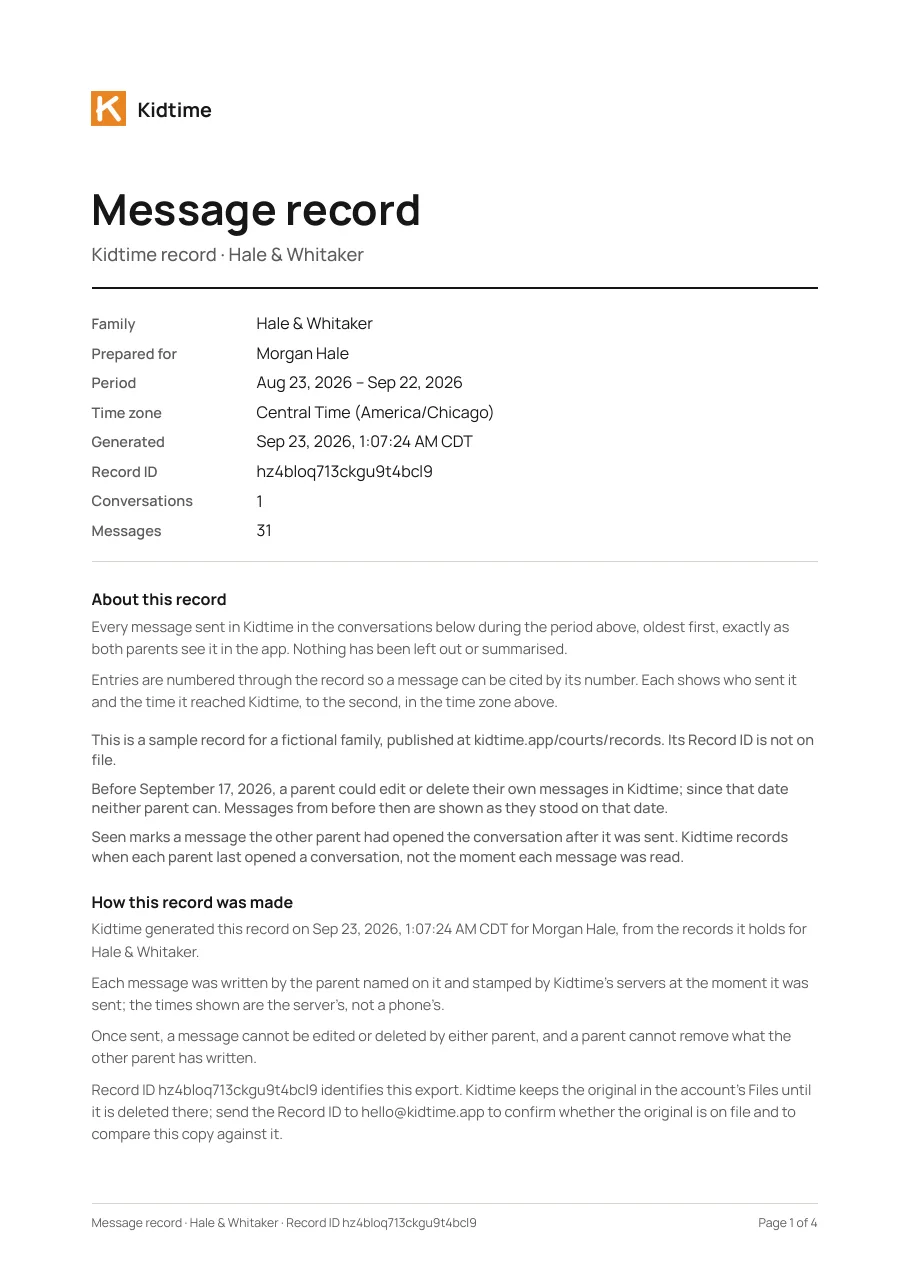
Page 1 of the sample Kidtime message record export

Message record

Every message between the two parents in the chosen period, in order, exactly as sent. A sent message cannot be edited, deleted or unsent by either parent, so nothing is missing from the middle.

The cover page states

  • The family, who the record is prepared for, the period, the time zone every time is shown in, when it was generated to the second, and a Record ID Kidtime can check a copy against while the original is on file
  • How the record was made: each message stamped by Kidtime’s servers when it was sent, and that no one can edit or delete a message once sent

What to look for

A numbered entry per message with the sender, the time to the second and the text, under the day it was sent. “Seen” marks a message the other parent had opened the conversation after.

Download the sample message record (PDF) →
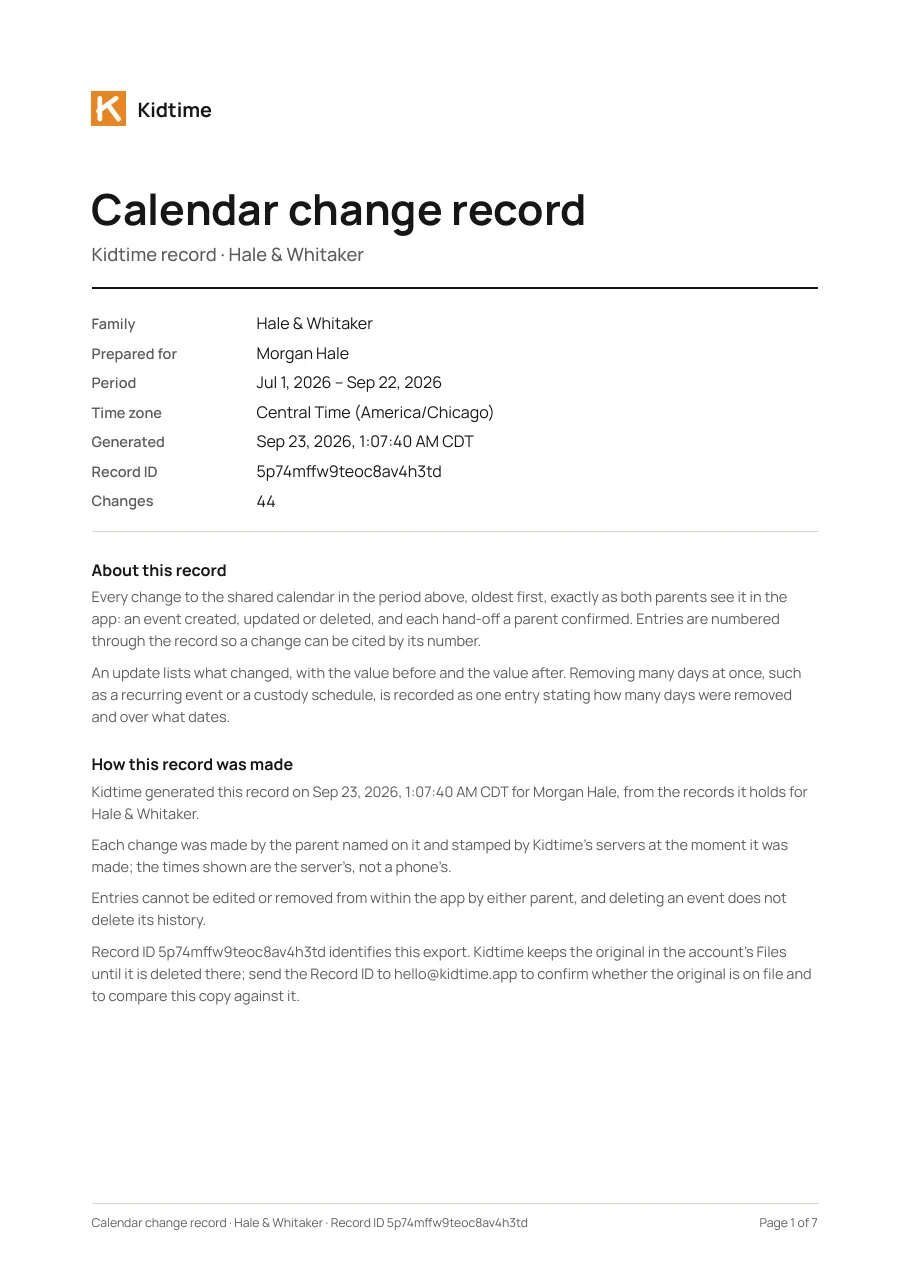
Page 1 of the sample Kidtime calendar change record export

Calendar change record

Every change to the shared calendar: each hand-off confirmed, each event created, moved or removed, and each schedule change, with who did it and when.

The cover page states

  • The family, who the record is prepared for, the period, the time zone, when it was generated to the second, the number of changes, and a Record ID
  • How the record was made: each change stamped by Kidtime’s servers when it was made, and that entries cannot be edited or removed by either parent

What to look for

A numbered entry per change with the parent who made it and the time to the second. An edit shows the value before and the value after, so a moved practice reads as a move from 5:00 to 5:30, not as a new fact.

Download the sample calendar change record (PDF) →
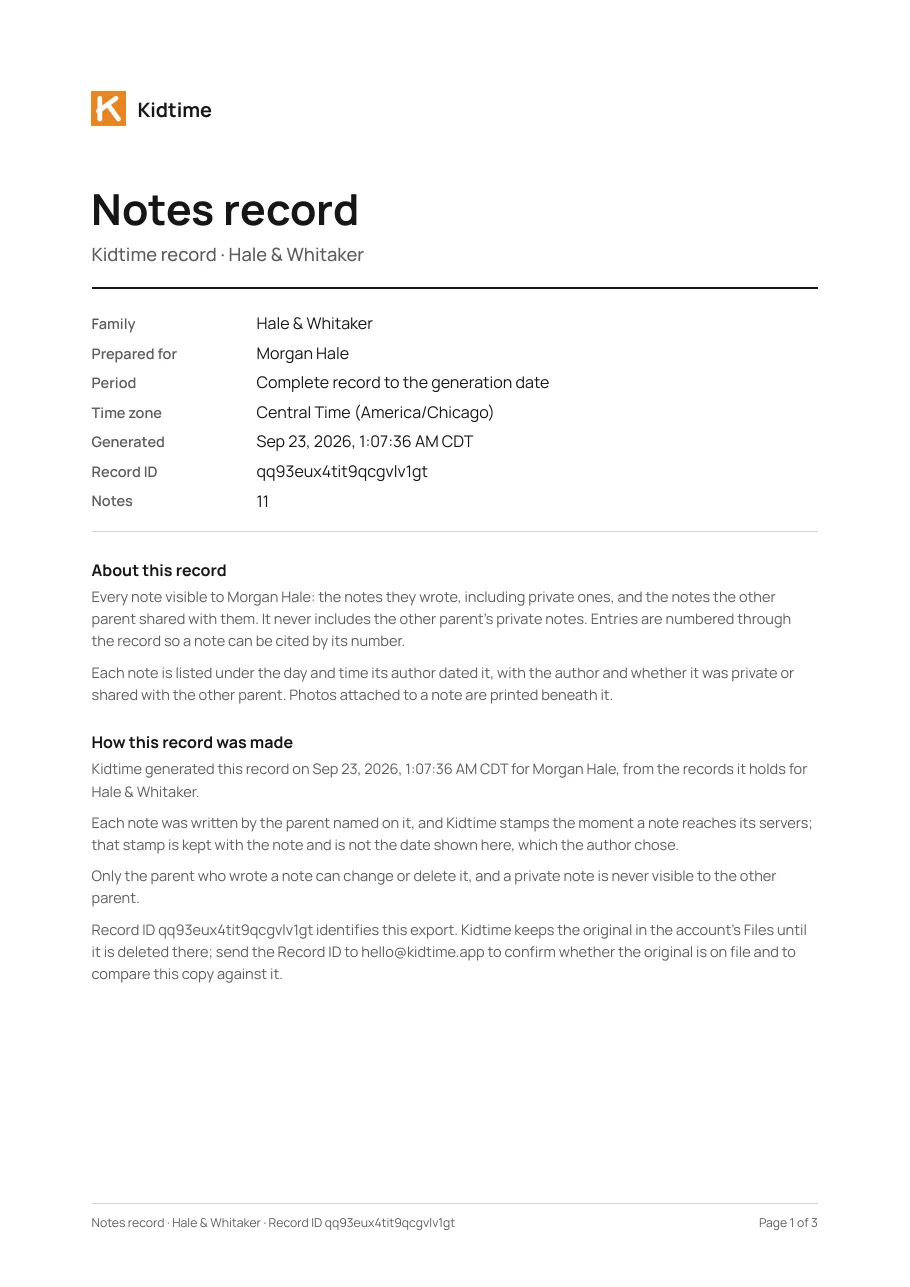
Page 1 of the sample Kidtime notes record export

Notes record

The records journal: the notes a parent wrote as things happened, each stamped when it was written, with any photos, and marked private or shared with the other parent.

The cover page states

  • The family, who the record is prepared for, the time zone, when it was generated, the count of notes and photos, and a Record ID
  • That the record contains only the notes visible to that parent — the notes they wrote, including private ones, and notes shared with them — and never the other parent’s private notes

What to look for

A numbered entry per note under the day and time its author dated it, with the author, whether it was private or shared, and any photos beneath it.

Download the sample notes record (PDF) →
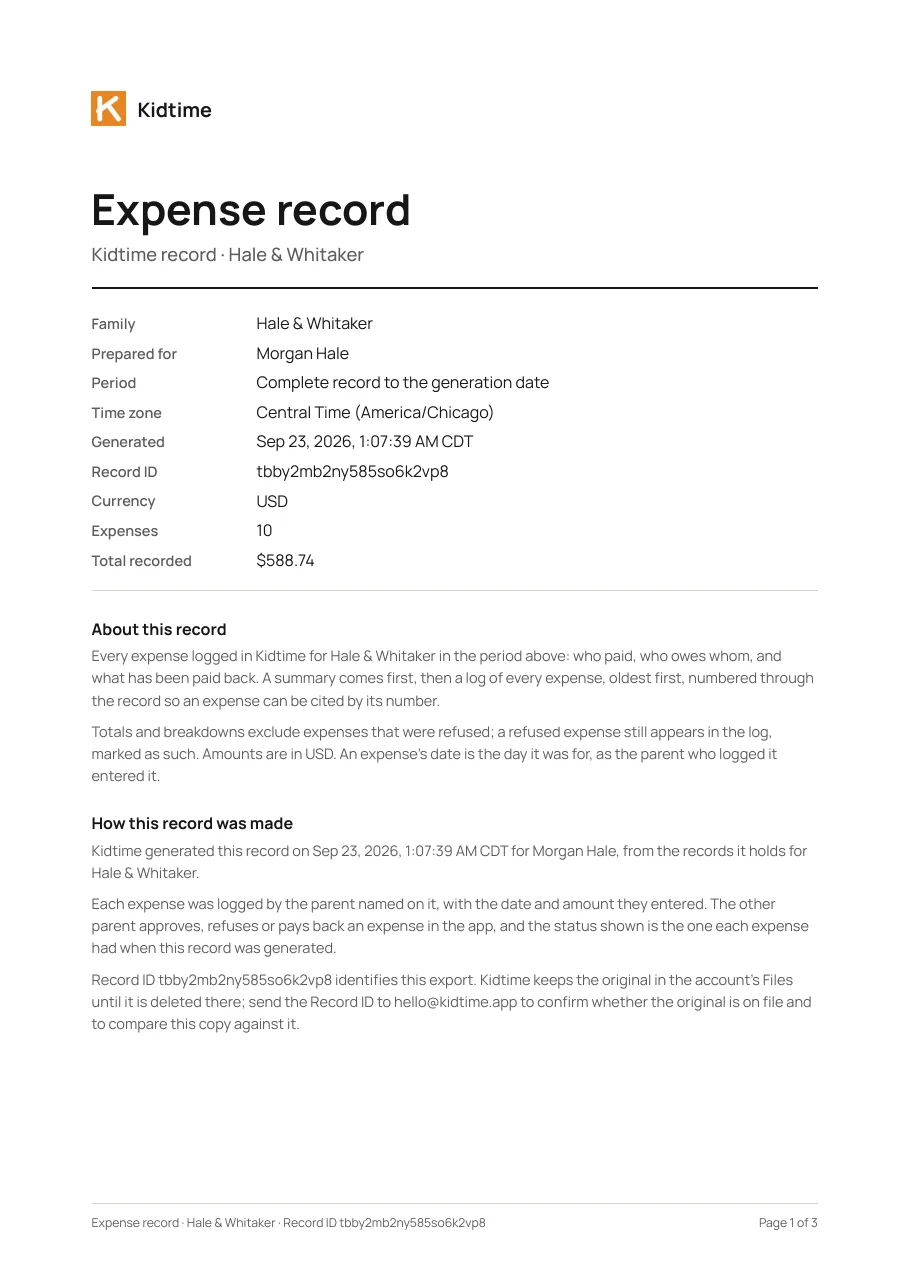
Page 1 of the sample Kidtime expense record export

Expense record

Every shared expense for the child in the period: who paid, the split, whether the other parent approved or disputed it, and what has been reimbursed.

The cover page states

  • The family, who the record is prepared for, the currency, the number of expenses, the total recorded, when it was generated, and a Record ID
  • How the record was made: each expense logged by the parent named on it, and its status as it stood when the record was generated

What to look for

A summary of who owes whom, who paid out of pocket and what was paid back, then a numbered log of every expense with its date, payer, category, status and the share owed.

Download the sample expense record (PDF) →
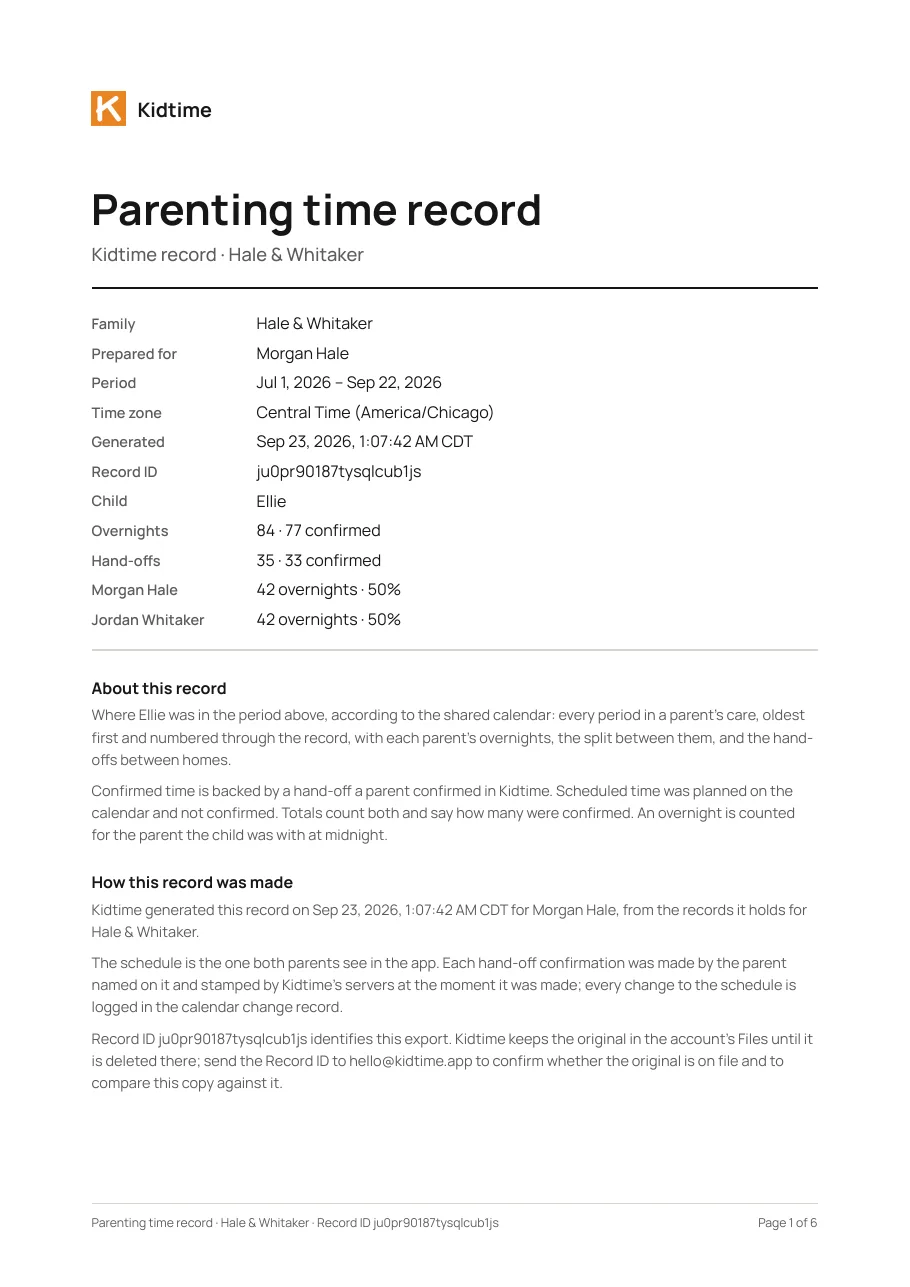
Page 1 of the sample Kidtime parenting time record export

Parenting time record

The parenting-time schedule as it was actually kept: overnights and hours with each parent, confirmed hand-offs, and where the child was, month by month.

The cover page states

  • The family, who the record is prepared for, the period, the child, each parent’s overnights and share, the hand-offs and how many were confirmed, and a Record ID
  • That confirmed time is backed by a hand-off a parent confirmed in Kidtime, and scheduled time was planned and not confirmed

What to look for

The percentages come from the calendar as both parents confirmed it, not from either parent’s recollection. Unconfirmed hand-offs are counted separately, and every period in a parent’s care is a numbered entry.

Download the sample parenting time record (PDF) →

How a court gets a Kidtime record

1

The parent exports it

From the app, choosing the record and the period. The file is generated on the spot from what is stored, never from a copy the parent holds.

2

Or their practitioner does

An attorney, mediator or counselor the parent has given view-only access exports the same records directly, at no cost.

3

Or the court asks Kidtime

Requests to Kidtime go to hello@kidtime.app. We have never received a subpoena.

Questions about the record

What does a Kidtime message export show?

Every message between the parents in the period, in order and numbered: the date, the time to the second in a stated time zone, the sender, the text, and whether the other parent opened the conversation after it was sent. Because a sent message cannot be edited, deleted or unsent, nothing is missing from the middle of the record.

Can a Kidtime record be altered after it is exported?

The PDF is locked against modification and each entry carries the moment it was made. The entries themselves stay in Kidtime, so the same record can be generated again for the same period and compared.

Does a Kidtime export include the other parent’s private notes?

No. The notes record contains only the notes visible to the member it was generated for: the notes they wrote, including private ones, and notes the other parent shared with them. The cover page states this.

More for courts

Export a client’s record yourself

A free, view-only professional account exports these same records directly, with no paywall.

For parents

Start your record free

Your calendar and messages become the record as you use them. One parent's Premium covers the exports for both.