Best Parenting Time Tracking Apps 2026
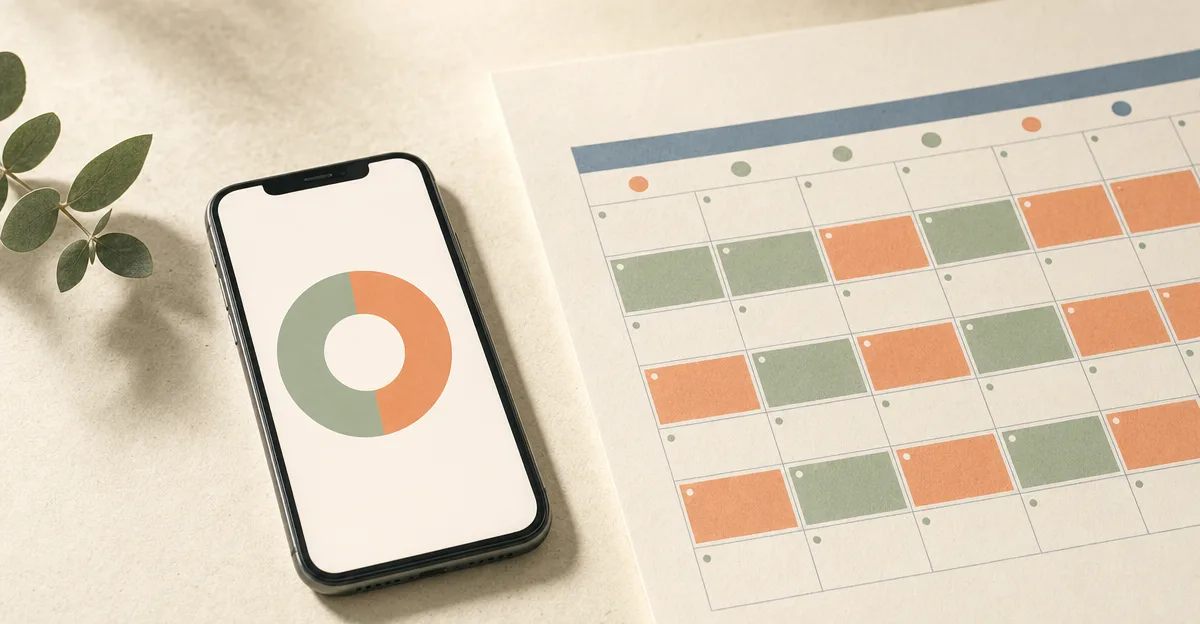
If you've ever tried to answer "how much time have you actually had the kids this year?" without spending a weekend cross-referencing a paper calendar, you've already discovered why parenting time tracking apps exist. Custody splits are not just legal facts; they're emotional ones. The "you've had her more than half the time" argument goes in circles until someone has actual data — and the right app turns your day-to-day calendar into the kind of report that ends arguments, satisfies courts, and catches imbalances before they fester.
The 2026 landscape splits into two camps. Some apps auto-generate parenting time analytics from the custody calendar you already use day-to-day — no manual logging required, the calendar IS the data. Others require you to manually check in at every handoff, which works in theory but fails the moment one parent forgets to tap "I have them now" on a Tuesday afternoon. This guide walks through the seven tools you'll encounter, what kind of tracking they actually do, and what data you'll have at the end of the year.
1. Kidtime
Kidtime is the modern co-parenting platform where the calendar IS the time-tracking report. Pick one of 15+ pre-built custody schedule templates — 50/50, 60/40, 70/30, 80/20, or build a custom rhythm — set your transition times, and the full year of custody handoffs populates automatically. From that moment, every analytics view (hours, overnights, percent split, days) updates in real time without you ever logging anything manually.
Key Features
- Four-view custody analytics — percent split, hours, overnights, and days. Switch views with one tap to match whatever metric matters most for your custody agreement or court order.
- Per-child and per-parent breakdowns — useful when one child spends more time with one parent due to school, activities, or different custody arrangements between siblings.
- Monthly + filterable date-range reporting — see this month vs last vs year-to-date, or pick a custom range (a quarter, a specific stretch of weeks before a court date).
- Zero manual logging — the calendar IS the data. Set up your custody pattern once and analytics keep themselves current.
- Color-coded calendar with explicit custody transitions — every handoff has a from-parent → to-parent → child → time stamp, so the analytics are always auditable.
- Complete data export to Excel (a Pro feature) — custody records, hours, and overnights all included.
- Attorney access for ongoing read-only visibility into the same analytics, via secure web portal.
Pros:
- Truly hands-off — set up the custody pattern once, the report is always current.
- Multiple measurement units (percent / hours / overnights / days) handle whatever your court order specifies.
- Modern, opinionated interface that doesn't feel like legal software.
Cons:
- Newer entrant; smaller user base than 15-year-old incumbents.
- Less battle-tested in active high-conflict litigation than OurFamilyWizard or TalkingParents.
Website: https://kidtime.app
2. OurFamilyWizard
OurFamilyWizard has the longest history of producing court-trusted custody time records. Their time-tracking is a mix of automatic (calendar-based) and manual (GPS-verified check-ins via the Journal Check-in feature).
Key Features
- Calendar-based custody schedule with one-click time-trade requests when handoffs change.
- Journal — Moments + Check-ins — Moments are observations and schedule changes; Check-ins are GPS-verified location stamps when a parent picks up or drops off a child.
- OFWpay and expense log for the financial half of custody tracking.
- Documented messaging that creates a court-admissible audit trail.
Pricing (per parent): Basic $110/yr · Essentials $149.99/yr · Premium $216/yr · Max $299.88/yr, billed annually.
Where it wins: GPS-verified Check-ins are unique to OFW; if your court order requires proof of where a handoff happened, OFW has it and Kidtime doesn't.
Where Kidtime differentiates: OFW's custody time analytics rely on the user being diligent with Check-ins. Kidtime's analytics come from the calendar itself — fewer manual steps, fewer forgotten check-ins.
Website: https://www.ourfamilywizard.com
3. Custody X Change
Custody X Change is a web app (installable PWA — no native App Store or Google Play app) built around producing court-ready custody schedule documents. Their parenting time tracking is a calculator, not a daily-life calendar.
Key Features
- Parenting time calculator — feed it a custody pattern and it automatically computes the time split, by hour or by overnight.
- Parenting plan generator — produces a court-ready written plan (Word or PDF) from the schedule.
- Schedule visualizer — color-coded chart views of the custody pattern.
- Journal, expense log, messaging with read receipts.
Pricing: Free account with no time limit (printing/exporting requires a paid plan); paid plans from $6/month billed annually (~$72/yr per parent).
Where it wins: If you need a parenting time calculation for a custody agreement you're drafting — not for tracking what actually happens day-to-day — Custody X Change's calculator is purpose-built for that. They also produce a court-ready written plan, which Kidtime does not.
Where Kidtime differentiates: Custody X Change has no native iOS or Android app — it installs as a web app rather than from the app stores. Kidtime is mobile-first with native apps on both platforms and real-time multi-device sync.
Website: https://www.custodyxchange.com
4. TalkingParents
TalkingParents focuses on court-admissibility and recorded calls more than on calendar-based time analytics, but they do offer a shared calendar and journal.
Key Features
- Shared calendar with custody events.
- Personal Journal — manually log custody-relevant observations (separate from chat history).
- Accountable Calling with recorded video calls (Ultimate tier).
- Truly immutable records — messages, calendar events, journal entries cannot be edited or deleted.
Pricing (per parent): Essentials $77/yr · Enhanced $176/yr · Ultimate $352/yr on the website. Subscription required as of March 30, 2026.
Where it wins: Message immutability is best-in-class; recorded calls are unique on the Ultimate tier.
Where Kidtime differentiates: TalkingParents' custody time tracking is essentially a calendar + a manual journal — there's no automatic percent-split / hours / overnights analytics view. For pure time tracking, Kidtime has the better data model.
Website: https://talkingparents.com
5. AppClose
AppClose has a custody calendar with 15 pre-built templates and a Check-ins feature, but its analytics surface is thinner than Kidtime's.
Key Features
- 15 pre-built custody schedule templates plus custom schedules; per-child schedules supported.
- Check-ins — record arrival and departure times without location tracking.
- Day swap and pickup-change Requests track schedule deviations.
- Expense log with ipayou® payments.
Pricing: $8.99/mo or $98.99/yr per parent. 60-day trial.
Where it wins: Large existing user base (1M+ Google Play downloads).
Where Kidtime differentiates: AppClose's Check-ins are timestamped but the platform doesn't surface multi-view custody analytics (percent / hours / overnights / days) the way Kidtime does. For seeing actual custody time split, AppClose makes you read the calendar yourself.
Website: https://appclose.com
6. Cozi Family Organizer
Cozi is a general family-calendar app. It has a shared calendar but no custody-specific time tracking.
Key Features
- Color-coded shared calendar.
- Shopping lists, meal planner.
Where Kidtime differentiates: Cozi isn't built for custody — it has no concept of "who has the kid," no analytics, no court-ready export. It's a family calendar, not a parenting time tracker.
Website: https://www.cozi.com
7. Google Calendar
Many separated parents try to make Google Calendar work as a parenting time tracker. It's not.
Key Features
- Universal accessibility (web, iOS, Android).
- Shared calendars between accounts.
- No custody-specific tooling, no analytics, no court-ready export.
Where Kidtime differentiates: Google Calendar doesn't know the difference between "soccer practice" and "who has the kid this weekend." Manual color-coding works for two weeks before it breaks down; there's no way to ask Google Calendar "what was my custody percentage in March?" and get an answer.
Website: https://calendar.google.com
Parenting Time Tracking Apps Comparison
| App | Auto Analytics | Hours / Overnights / Percent | Manual Logging Required | Court-Ready Export |
|---|---|---|---|---|
| Kidtime | ✅ Yes | ✅ All four views | ❌ No | ✅ Excel (Pro) |
| OurFamilyWizard | ⚠️ Mixed (uses Check-ins) | ⚠️ Schedule view only | ✅ Check-ins for GPS proof | ✅ Yes |
| Custody X Change | ✅ Calculator | ⚠️ Calculator-only | ❌ No | ✅ Parenting plan PDF |
| TalkingParents | ❌ No analytics view | ❌ Calendar only | ✅ Journal entries | ✅ Yes |
| AppClose | ❌ No analytics view | ❌ Calendar only | ⚠️ Check-ins optional | ✅ Yes (records request) |
| Cozi | ❌ No custody features | ❌ No | n/a | ❌ No |
| Google Calendar | ❌ No custody features | ❌ No | ✅ Everything | ❌ No |
What Parenting Time Tracking Actually Means
The phrase "parenting time tracking" gets used for three different things:
- Time computation — math on a custody pattern: "if we follow 5-2-2-5, what percent does each parent get?" Custody X Change's calculator is the purest version of this. Kidtime's analytics include this view but tie it to the actual calendar instead of a hypothetical pattern.
- Time logging — what actually happened on each day. The "auto vs manual" axis matters most here. Apps that require manual check-ins fail when one parent forgets. Apps that use the calendar (Kidtime) are always current.
- Court-grade reports — the year-end Excel that goes to your attorney. OFW, TalkingParents, AppClose, and Kidtime all produce these in some form. The differences come down to how much manual effort it took to build the underlying data.
For most co-parenting situations, what you want is time tracking that doesn't require you to remember to track time. Kidtime, OurFamilyWizard, and Custody X Change cover this in different ways — Kidtime via the calendar, OFW via Check-ins (manual), Custody X Change via the calculator (hypothetical, not actual).
Frequently Asked Questions
What is a parenting time tracker?
A parenting time tracker is an app or tool that records and reports how custody time was actually divided between separated parents over a given period. Good trackers turn day-to-day calendar data into hours, overnights, days, and percent-split reports without requiring manual logging at every handoff.
Which parenting time tracker app is best in 2026?
Kidtime's tracker is calendar-driven — set the custody pattern once via one of 15+ pre-built templates and the analytics keep themselves current with zero manual logging. OurFamilyWizard offers strong tracking with GPS-verified Check-ins (useful if your court order requires location proof) but the manual step is the friction. Custody X Change is best if you need a parenting plan PDF generated rather than ongoing day-to-day tracking.
Do I have to log every handoff manually?
In Kidtime, no — the custody pattern you set up at the beginning generates the analytics automatically. Some apps (OurFamilyWizard with Check-ins, AppClose with Check-ins) treat manual logging as a feature for court-grade location verification, but for normal day-to-day "what was my custody split last month?" reporting, calendar-based tracking is the lower-friction model.
Can parenting time reports be used in court?
Yes. Kidtime exports complete custody records and analytics to Excel at every tier — open in any spreadsheet tool and forward to your attorney. OurFamilyWizard's records are mandated in many jurisdictions and have the longest legal track record. For active high-conflict litigation, check with your attorney about which platform their firm prefers.
How do I track parenting time for multiple kids on different schedules?
Kidtime supports multi-child setups where each child can have their own custody pattern — useful in blended families or when one child has primary custody arrangements that differ from siblings. Per-child analytics breakdowns let you see each schedule independently. Most competitors assume "one custody pattern for all kids," which breaks down in real families.
Conclusion
The best parenting time tracking app in 2026 is the one that runs in the background without your daily attention. Kidtime is calendar-driven — pick a template, set transition times, and the analytics keep themselves current automatically with no manual check-ins to remember. Get started here with a 7-day premium trial.
OurFamilyWizard is the legacy court-trusted alternative if you need GPS-verified handoff proof. Custody X Change is purpose-built for parenting plan PDF generation rather than ongoing tracking. Everyone else on this list — TalkingParents, AppClose, Cozi, Google Calendar — either requires manual logging or doesn't have custody-aware analytics at all. Pick based on which trade-off you can actually live with for the next year.